
Smart Hands Services: What Remote IT Teams Can Safely Delegate On Site
A remote engineer asks a technician to move a patch cable from switch port 12 to port 18. The technician arrives and finds that the labels do not match the diagram.
The safest next step is not to guess. It is to stop, send back a photo, and wait for the remote owner to confirm the target. That small pause captures the principle behind smart hands services: delegate the physical action without handing over an undefined technical decision.
Smart hands give a centralized IT team the power to reach into offices, stores, clinics, warehouses, and data rooms. The model works when the target, instruction, access boundary, escalation path, and completion record are settled before the technician touches the system.
We separate routine tasks from conditional work below and illustrate how remote teams can maintain authority over change.
What Are Smart Hands Services?
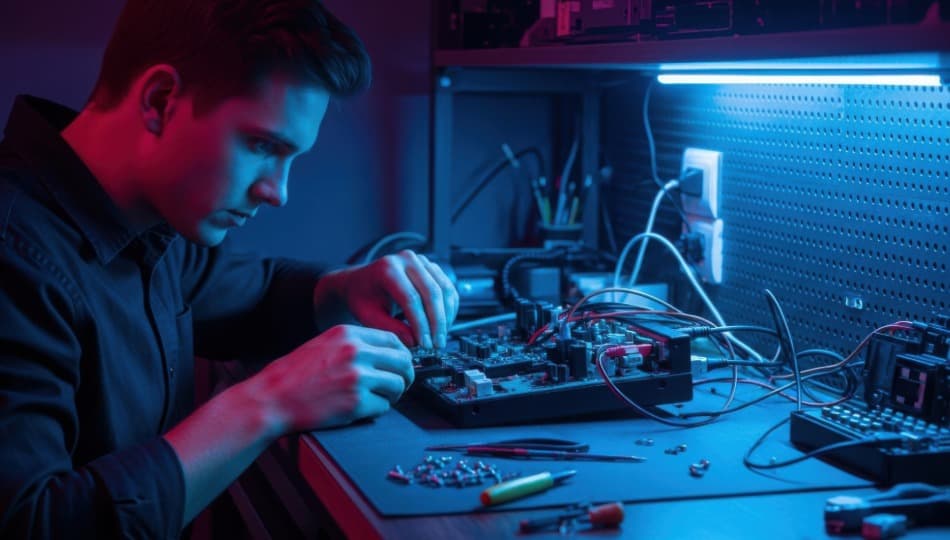
Smart Hands services deliver on-site technical support under the guidance of a remote IT team. A field technician performs specified physical tasks such as inspection, cable tracing, equipment installation, component replacement, and evidence collection, using instructions, access limits, stop conditions, and closeout requirements set by the remote owner.
Typically the remote team will have diagnosis, design authority, and change approval. The technician provides local access, tools, direct observation, and physical execution. This approach is one of the delivery models in the broader IT services space.
This is a common term used in data centres, but the same setup applies in branch locations where technical knowledge is centralized but the equipment is distributed.
Smart Hands is not your average break-fix dispatch. A break-fix technician could be called out to diagnose and fix the incident on site. The smart hands technician has a more limited authority model. The remote team interprets the observations and decides what the next technical step should be. That distinction informs the skill profile, communication plan, and closeout record for the visit.
Need the Remote IT Team Too?
Smart hands work best when a capable remote IT team is already directing the task. If your organization needs that centralized IT function as well, Arcadion’s Remote Managed IT Services provide remote support, monitoring, endpoint management, and day-to-day IT administration for distributed teams.
Explore Remote Managed IT Services
A Delegation Matrix for On-Site Tasks
The main test is not whether a technician is capable of performing an action. It is whether the action has a known target, bounded impact, and objective confirmation.
| Task category | Delegation condition | Required control |
| Visual inspection and readings | Target and required observations are named. | Photo or reading standard and secure return method |
| Cable tracing and patching | Source, destination, and affected service are known. | Remote confirmation before disconnecting live equipment |
| Named device or component replacement | Compatibility and configuration status are confirmed. | Asset record, test, and removed-device custody |
| Controlled restart or reseat | Impact and target are verified. | Logs are captured first where practical and a stop condition |
| Privileged logical action | The exact administrative step is required. | Named account, least privilege, MFA, and time limit |
| Firmware or configuration change | The remote owner has approved the change. | Baseline, backup, test, and rollback plan |
| Electrical, structural, or safety-sensitive work | Required trade qualification is present. | Use the appropriate licensed resource. |
| Ambiguous equipment state | The site does not match the instruction. | Stop and escalate before action. |
Routine Tasks That Fit Smart Hands Well
Routine does not mean uncontrolled. These tasks are good candidates because the technician can identify the target and report an objective result.
Visual Inspection and Evidence Collection
Technicians can photograph equipment labels, serial numbers, cable runs, indicator lights, error screens, rack conditions, and physical damage. The request requires the necessary angles, labels, and readings so that the material returned addresses the diagnostic question.
Photos should not include passwords, personal information, or unrelated systems. Use an approved channel for notes and files.
Cable Tracing, Labelling, and Patching
A tech can trace a run when the source and destination are clear. They can confirm a port. They can label connections. They can move a patch cable. Cable colour is not a good identifier. Device names are better than port numbers and diagrams.
If it is a live connection, force remote confirmation before disconnecting and save the previous and final state.
Device Installation and Physical Replacement
An approved work order may include the installation, connection, or replacement of a named device or component. The remote owner verifies compatibility, configuration status, and handling requirements for removed equipment.
Link the visit to an IT asset deployment and decommissioning process so serial numbers, assignments, custody, and data-bearing media do not disappear at the ticket boundary.
Site Surveys and Inventory Checks
A smart hands visit can confirm rack space, equipment, network connections, mounting conditions and access restrictions. A single checklist across sites makes exceptions visible, and can feed a future multi-site technology rollout.
Work That Requires a Tighter Boundary
The technician needs direct remote supervision or specialist authority when the action can interrupt a critical service, change a security control, expose data, or create a safety risk.
Examples include moving live network paths, using privileged credentials, changing firmware, handling data-bearing media, working near electrical systems, and disposing of equipment. The task can proceed only when the correct authorization, skill, and recovery plan are present.
A destructive action or a request to continue when a mismatch exists falls outside routine smart hands work. The technician must stop and return the decision to the remote owner.
Control Physical and Logical Access Separately
Just because you can get into the building doesn’t mean you can get into any room, rack or system. A named work order must specify the physical reach and logical permissions.
The Canadian Centre for Cyber Security’s guidance on access control requires documented restrictions on remote access, requirements for connections, and prior authorization. Its guidance on administrative privileges encourages least privilege, separate administrative accounts, and strong authentication for elevated work.
Physical access checks
- Confirm technician identity prior to entry
- Use a named site contact and work order
- Restrict access to the room, rack or device required
- Use an escort when required by site policy or risk
- Log arrival, departure and equipment removed
- No unauthorized photography or access to adjacent systems
Logical access checks
- Use individual accounts not shared credentials
- Grant minimum permission required for assigned step
- Use MFA for privileged access where possible
- After the task, either expire or revoke temporary access
- Don’t mix administrative work with normal user activity
- Maintain logs and approvals for changes in configuration
A Smart Hands Work Order in Six Parts
The remote team can preserve control by making each handoff explicit.
- Identify the target state: Name the issue, device, site, rack, port, or component and describe the result the business needs.
- Check whether the task is delegable: Review technician skill, safety, access, data exposure, and the effect of an incorrect action.
- Write the physical sequence: Provide the steps, reference photos or diagrams, required tools, and actions that need fresh approval.
- Name the stop conditions: State what the technician does when a label, cable, device state, or site condition differs from the instruction.
- Connect the remote owner: Provide a live contact method and name the person who can authorize a change during the visit.
- Close with proof: Run the agreed tests, collect photos or readings, update records, and remove temporary access.
What the Technician Must Return
A complete record shows what the technician found, what changed, and whether the service passed the agreed test.
- Arrival, entry and completion times
- Local contact and technician identity
- Before and after photos if possible
- Device name, model, serial number & asset tag
- Ports, cables and components touched,
- Steps performed and deviation from instructions
- Readings, status indicators and validation of business
- Equipment taken away, returned or left on site
- Open issues and contact persons
Delegation Failures to Avoid
Smart hands breaks down when the remote team transfers uncertainty instead of a bounded task.
- The request says check the rack without naming the question
- An outdated diagram is treated as proof of the current state
- Shared credentials are provided for convenience
- Inspection is mistaken for permission to change
- No person is available to authorize an exception
- The technician is asked to work beyond their qualification
- Live equipment is disconnected before impact is confirmed
- The ticket closes without proof or acceptance
- Removed devices leave the site without asset or custody updates
Provider Questions About Delegation and Escalation
These questions reveal whether the service extends the remote team’s reach or merely supplies an unstructured site visit.
- Which tasks are accepted as routine smart hands work?
- How are technician identity and skill verified?
- How are instructions versioned and delivered?
- Who can approve a change in scope?
- Which conditions force a stop?
- How does the technician reach the remote engineer during the task?
- How are credentials and temporary access handled?
- What completion record is returned?
- Who owns a failed test or repeat visit?
Extend Remote Control Without Extending Risk
Arcadion’s Technical Field Services can provide the on-site presence required for network and device work, hardware installation, point-of-sale support and multi-location needs. For smart hands requests, the visit can be tied to the remote team’s target, access boundary, escalation contact and closeout requirements.
The remote team keeps the decision. The field resource completes the physical step and returns what the team needs to validate the result.
Keep the Decision Remote and the Execution Local
Smart hands services are most effective when the technician is never forced to interpret an undefined request. The target, authority, stop point and finish line must travel with the work order.
That structure lets a centralized team reach more sites without weakening access control or change discipline.
Need a trusted field resource for a defined remote-directed task? Explore Arcadion’s on-site support services.
Read more:
How to Plan a Multi-Site Technology Rollout Without Disrupting Operations
What Are IT Field Services and When Does a Business Need Them?
IT Asset Deployment and Decommissioning Checklist for Growing Organizations